
 All vikis
 Aion 2
 Ananta
 ArcheAge Chronicles
 Call of Duty: Modern Warfare 4
 Chrono Odyssey
 Civilization 3
 Civilization 4
 Crimson Desert
 Deadlock
 Diablo 4
 Diablo 5
 Enshrouded
 Fable
Fable Final Fantasy Resonance
 Grand Theft Auto 6
 Heroes of Might and Magic 3
 Heroes of Might and Magic: Olden Era
 Kingdom Come: Deliverance 2
 Path of Exile 2
 Phantom Blade Zero
 Probably Stolen
 Slay the Spire 2
 Soulframe
PC Requirements and Performance
ARC Raiders needs at least a Core i5-6600K or Ryzen 5 1600, 12 GB of RAM and a GTX 1050 Ti or RX 580; Steam recommends a Core i5-9600K or Ryzen 5 3600, 16 GB and an RTX 2070 or RX 5700 XT, as read Oct 31, 2026. Press settings guides favor motion blur off, lower shadows and effects, and Reflex on.
ARC Raiders needs at least an Intel Core i5-6600K or AMD Ryzen 5 1600, 12 GB of RAM and a GTX 1050 Ti, RX 580 or Arc A380 on Windows 10 or later, as Steam listed them on Oct 31, 2026, and it recommends a Core i5-9600K or Ryzen 5 3600, 16 GB and an RTX 2070, RX 5700 XT or Arc B570. The engine has changed since launch (Unreal Engine 5.3 to 5.7 in update 1.45.0, Sep 8, 2026), and all the settings guides below predate it, so treat their numbers as starting points.
System requirements
| Minimum | Recommended | |
|---|---|---|
| OS | Windows 10 or later, 64-bit, latest update | Same |
| Processor | Core i5-6600K or Ryzen 5 1600 | Core i5-9600K or Ryzen 5 3600 |
| Memory | 12 GB | 16 GB |
| Graphics | GTX 1050 Ti, RX 580 or Arc A380 | RTX 2070, RX 5700 XT or Arc B570 |
| DirectX | 12 | 12 |
| Network | Broadband | Broadband |
Source: Steam store page, read Oct 31, 2026. The listing read for this page gives no storage size, and the game is online only. An older list exists: Tech Test 1 in 2024 listed a GTX 970 at minimum, which the store has since replaced. Consoles and cloud are on Platforms and Crossplay.
Performance reports
The one frame rate measurement in the research is PCGamesN's on Nov 4, 2025: 104fps average and 55fps 1% lows at 1080p on an RTX 4070 with its recommended settings. That is launch-era and before the engine change. No Digital Foundry frame-rate analysis was found, and no reliable source has re-measured performance on 2.3.0 as of Oct 31, 2026.
Embark's own notes record where performance slipped. It acknowledged FPS issues on PC since 1.29.0 and gave driver advice in 1.36.0 (Jul 7, 2026), and listed crashes tied to Windows Update KB5121003 as a known issue on Sep 8, 2026.
Settings the press recommends
These guides are from launch or soon after, and they disagree in places. Dexerto's and KeenGamer's are aimed at frame rate and clarity, and GameRant's at PvP visibility.
| Setting | Dexerto (Oct 29, 2025) | KeenGamer (Nov 12, 2025) | GameRant (Jan 28, 2026) |
|---|---|---|---|
| Motion blur | Off | Off | Off |
| Field of view | Max | High | |
| Textures | High | ||
| Shadows | Low | Lower | |
| Effects | Low | Lower | |
| Post-processing | Low | Lower | |
| Reflections | Medium or Low | ||
| Foliage | Low | ||
| Global illumination | Medium resolution, ray tracing off | Ray tracing on Static | |
| Frame limit | Yes | ||
| Nvidia Reflex | On | ||
| Frame generation | By your hardware |
Sources: Dexerto, KeenGamer, GameRant.
Sources also split on DLSS models and on field of view: CNN versus Transformer, and 60 versus 80 on FOV between PCGamesN and Dexerto. Test both on your own machine, since no later measurement settles it. One current trap: Embark listed corrupted lighting in the main Outpost building with Shadow quality on Low as a known issue at 2.0. Update 2.0 also added an Emissive Toggle to turn off backpack lights, and 2.3.0 added a camera bob option to Gameplay. The rest is on Controls and Settings.
Upscaling and DLSS
The game offers DLSS, FSR and XeSS, and its plugins have moved with patches.
| Update | Date | Change |
|---|---|---|
| 1.24.0 | Apr 14, 2026 | Fixed blurry visuals with AMD FSR Frame Generation |
| 1.26.0 | Apr 28, 2026 | Intel XeSS moved to SDK 3.0.0; PSSR 2 on PS5 Pro |
| 2.3.0 | Oct 27, 2026 | FSR plugin updated to 4.1.1; workaround for a ray tracing GPU crash on AMD RX 7000 series cards |
Owners of an RX 7000 card who saw ray tracing crashes should try again on 2.3.0.
Memory fixes by patch
Update after update has cut memory use, so old advice about crashes may no longer apply.
| Update | Date | Fix |
|---|---|---|
| 1.3.0 | Nov 20, 2025 | Raider Voice crash on PCs without AVX2 |
| Hotfix, Oct 31 | Oct 31, 2025 | Memory leak from Steam avatars |
| 1.42.0 | Aug 21, 2026 | Improved UI texture streaming cache |
| 1.47.0 | Sep 22, 2026 | Item tooltips no longer keep old data and grow memory use over long sessions |
| 2.1.0 | Oct 13, 2026 | Lower memory on Spaceport, Buried City and Dam Battlegrounds, especially on Xbox Series S |
| 2.2.0 | Oct 20, 2026 | Lower memory from loot spawning and in Frigate interiors |
| 2.3.0 | Oct 27, 2026 | Lower Frigate memory for cargo hold crashes; lower audio memory on Xbox Series S |
Fixes for launch failures and error codes are on Troubleshooting and Error Codes.
Frequently asked questions
What are the ARC Raiders system requirements? ARC Raiders' minimum on Steam is a Core i5-6600K or Ryzen 5 1600, 12 GB of RAM and a GTX 1050 Ti, RX 580 or Arc A380. Recommended is a Core i5-9600K or Ryzen 5 3600, 16 GB and an RTX 2070, RX 5700 XT or Arc B570, read Oct 31, 2026.
Can my PC run ARC Raiders? If your PC meets those specs and DirectX 12 on 64-bit Windows 10 or later, ARC Raiders is listed as supported. It is also on GeForce Now if your hardware falls short.
What are the best settings for ARC Raiders? Press guides for ARC Raiders agree on motion blur off and lower shadows and effects; Dexerto adds max FOV, a frame limit and Reflex on. Those guides date from Oct 2025 to Jan 2026, before the engine update.
Does ARC Raiders have DLSS? Yes. ARC Raiders supports DLSS, and also FSR, updated to plugin 4.1.1 in update 2.3.0, and XeSS. Sources split on whether the CNN or Transformer DLSS model is better.
What FPS does ARC Raiders get? PCGamesN measured ARC Raiders at 104fps average and 55fps 1% lows at 1080p on an RTX 4070 on Nov 4, 2025. No reliable source has re-measured it on update 2.3.0 as of Oct 31, 2026.
How much storage does ARC Raiders need? The Steam listing read for this page on Oct 31, 2026 gives no storage size for ARC Raiders. Check the store or your download client for the current size.
Sources
- ARC Raiders store page, Steam, read Oct 31, 2026
- Get Ready for the ARC Raiders Tech Test, Embark Studios, Oct 22, 2024
- Hotfix - Oct 31, Embark Studios, Oct 31, 2025
- Patch Notes 1.3.0, Embark Studios, Nov 20, 2025
- Patch Notes 1.24.0, Embark Studios, Apr 14, 2026
- Riven Tides - Patch Notes Update 1.26.0, Embark Studios, Apr 28, 2026
- Live Update 1.36.0, Embark Studios, Jul 7, 2026
- Live Update 1.42.0, Embark Studios, Aug 21, 2026
- Live Update 1.45.0, Embark Studios, Sep 8, 2026
- Store Update 1.47.0, Embark Studios, Sep 22, 2026
- Frozen Trail 2.0 Update, Embark Studios, Oct 8, 2026
- Store Update 2.1.0, Embark Studios, Oct 13, 2026
- Store Update 2.2.0, Embark Studios, Oct 20, 2026
- Live Update 2.3.0, Embark Studios, Oct 27, 2026
- Best ARC Raiders PC settings, Dexerto, Oct 29, 2025
- Best Arc Raiders settings, PCGamesN, Nov 4, 2025
- ARC Raiders Best Settings, KeenGamer, Nov 12, 2025
- Settings That Give Real PvP Advantage, GameRant, Jan 28, 2026
Related
-
-
-
 Reception and AwardsARC Raiders scored 86 on PC on Metacritic and 87 on OpenCritic as of Oct 31, 2026, holds 81% positive Steam reviews, and won Best Multiplayer Game at The Game Awards 2025, Online Game of the Year at the D.I.C.E. Awards and Multiplayer at the BAFTA Games Awards. The main criticism concerned AI voices and cosmetic prices.
-
-
-
-
-
 Bastion, Bombardier and ShredderTo kill a Bastion or Bombardier in ARC Raiders, hit the yellow leg joints to slow it, then the yellow canister or cylinder at the back. A Bombardier also relies on Spotters, so kill those first. A Shredder dies to its bottom thruster, with two Trigger Nades enough to finish one.
See also
- Platforms and CrossplayARC Raiders is on Windows through Steam and Epic, PS5, Xbox Series X|S and GeForce Now, with crossplay across them that you can turn off in the Gameplay settings. There is no Mac or native Linux version, and its anti-cheat has caused trouble on Linux and Steam Deck.
-
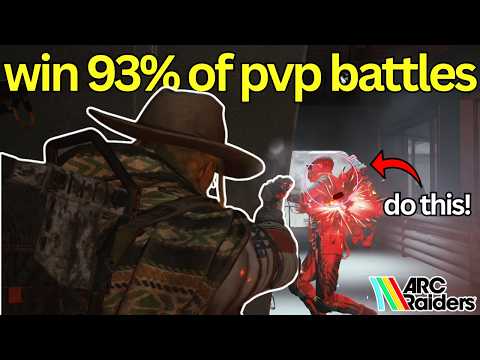 Controls and SettingsARC Raiders' default PC keys are WASD to move, Left Shift to sprint, Left Alt to dodge, E to interact, Tab for inventory and M for the map. Most gamepad buttons can be rebound since update 1.13.0, and update 2.0 changed the default gamepad mapping without publishing the new layout in its Steam highlights.
-
Troubleshooting and Error CodesMost ARC Raiders connection errors, such as ARAU0297, are server-side, so check Embark's news, X and Discord before changing anything. Embark has no official status page that we could find. Known crash causes include Windows Update KB5121003, Xbox Series S memory and AMD ray tracing, each with its patch below.
-
-
 Embark StudiosEmbark Studios made ARC Raiders. It is a Stockholm studio founded in November 2018 by six game industry veterans including CEO Patrick Söderlund, it is a subsidiary of Nexon, and it also makes the free-to-play shooter The Finals.
-
Player Count and SalesARC Raiders had 81,998 people playing on Steam on Oct 31, 2026, down from an all-time Steam peak of 481,966 per SteamDB but far from dead, and Nexon reported over 16.3 million copies sold in its June quarter report. Consoles and Epic are not in Steam's count.